For Fire TV · Android TV · Google TV · phones and tablets

Your playlist. Your TV. Nothing else included.

Virumo is a remote-first player for the playlist you already have, from a provider you are entitled to use. Live TV, a guide, films and series, live rewind and more, made for the big screen and the remote in your hand.

Install guide See how it works

  • No content included
  • No account
  • The app collects no personal data
  • Only the permissions playback needs
Skip the tour

Everything within reach of the remote.

01 · Live TV

Live TV, ready to go

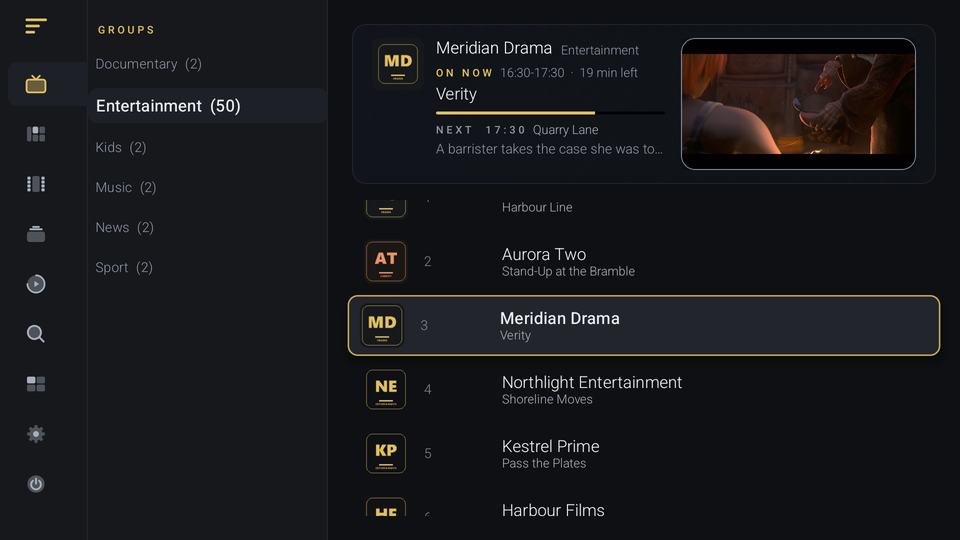
Channel groups, a channel list and quick, silent zapping with the D-pad. On a remote, type a channel number to jump straight to it.

Free

On screen: the Live TV screen, with a navigation rail on the left, a column of channel groups, a preview of the selected channel and a numbered channel list.

02 · Guide and catch-up

A guide you can read from the sofa

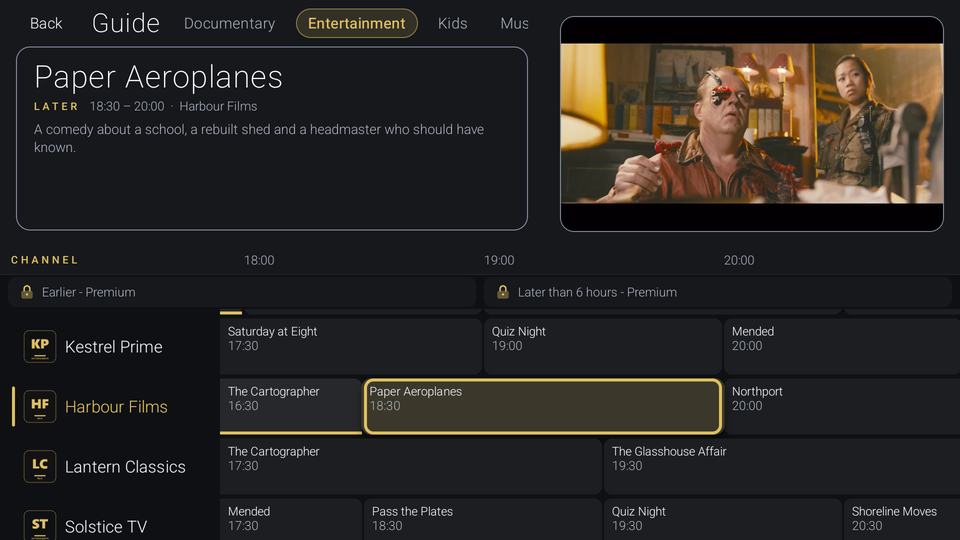
A grid with now and next on every channel. Free covers the next 6 hours. Premium opens the full 48 hours, past programmes and catch-up, where your provider keeps an archive.

Guide Free and Premium Catch-up Premium

On screen: the guide, with a details panel for the highlighted programme, a preview window, a grid of channels and padlocked rows for earlier and later than 6 hours.

03 · Live rewind

Pause live TV. Step back through it.

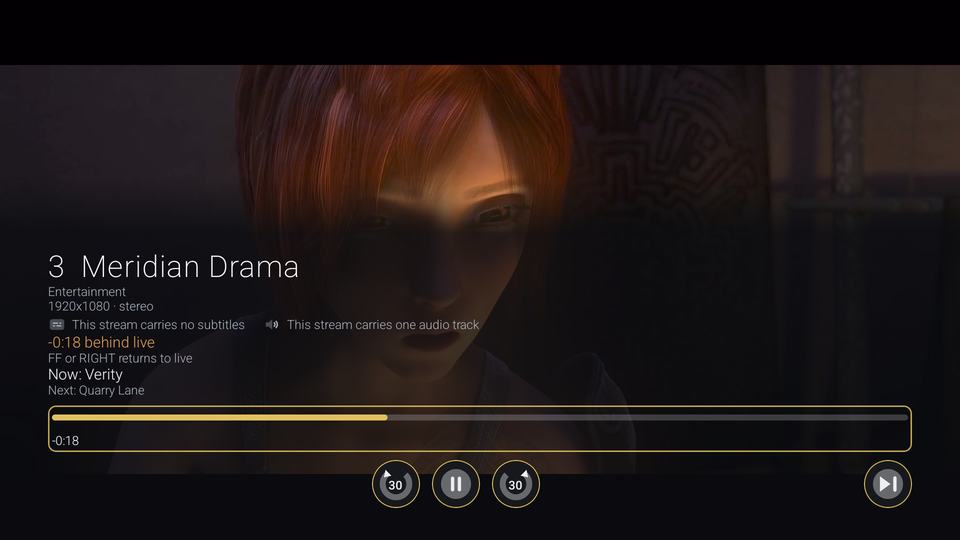
A label shows how far behind live you are, with a hint on how to get back. The Jump to live button, fast-forward or right returns you to live. Free rewinds 30 seconds; Premium keeps the full buffer.

Free and Premium

On screen: a live channel rewound, with a label reading 18 seconds behind live and a hint that fast-forward or right returns to live, ringed in gold, and a seek bar.

04 · Films, series and Continue Watching

Films, series and Continue Watching

Browse on-demand films and series, with episode lists. Continue Watching picks up where you left off; free shows your last 3.

Free and Premium

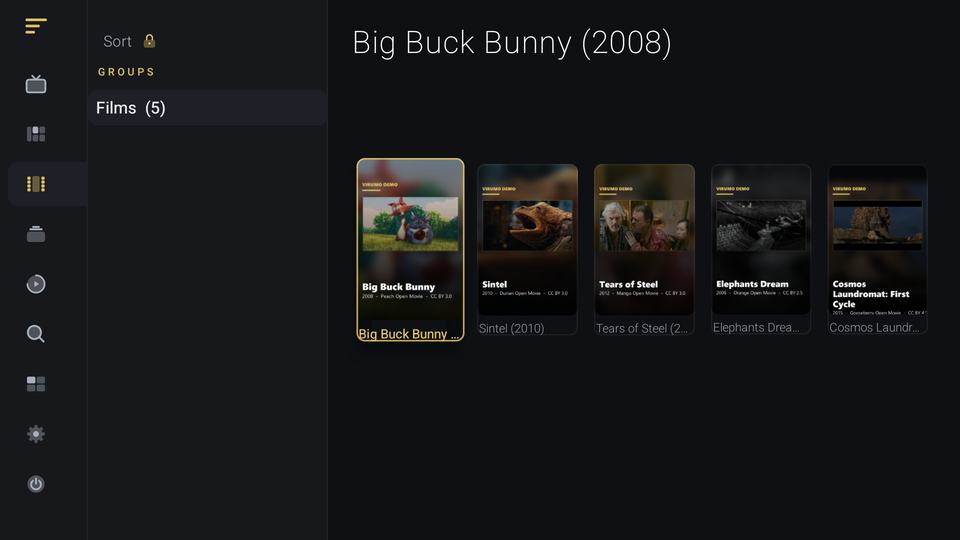
On screen: the Films screen, with a groups column reading Films and five posters across the grid, the first with a gold focus ring.

05 · Find anything

Search, and the rail to everywhere else

Search channels, films and series from one place, and use the rail down the side of the screen to reach any part of the app. Locked Premium features stay visible, with a padlock that opens the Premium page.

Free

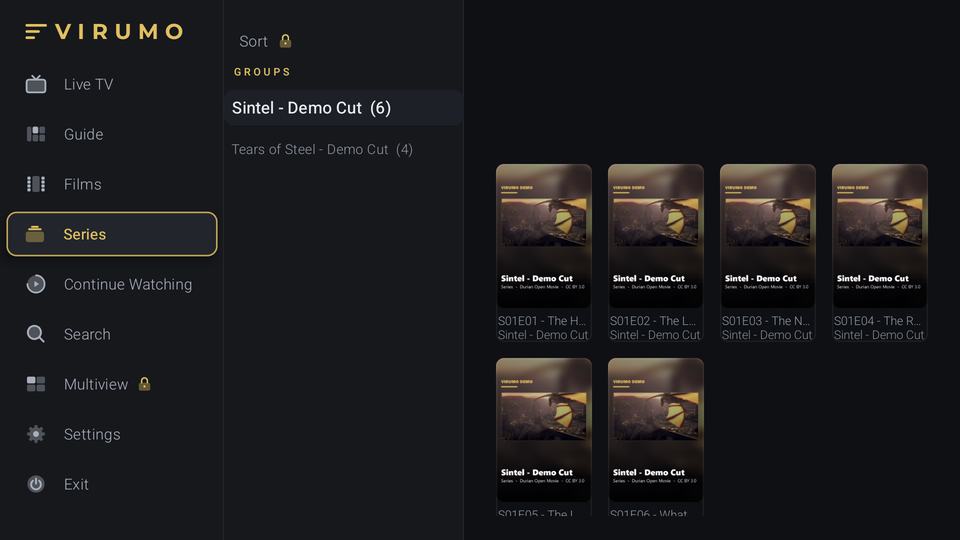
On screen: the navigation rail expanded to show every section by name, including a padlocked Multiview entry.

06 · Multiview

Up to four at once

Watch up to four channels at once. Each stream needs a connection of its own from your provider, and extra logins let several run together.

Premium

On screen: illustration, not a screenshot, of four video tiles in a two by two grid with the first tile highlighted.

07 · Recording

Record and schedule

Record programmes and schedule them ahead of time. Recording is planned and is not in the app yet.

Premium · Planned

On screen: illustration, not a screenshot, of a recording timeline with a progress bar and a red record button.

08 · Themes

Three themes and a matching icon

Deep Luxe is free: gold on near-black. Cinema Dark and Editorial Gradient come with Premium.

Free and Premium

On screen: illustration, not a screenshot, of the app in a palette that changes from Deep Luxe, gold on near-black, to Cinema Dark, cool blue, then Editorial Gradient, coral, and back to Deep Luxe.
Demo footage: Blender Foundation open movies, used under Creative Commons Attribution (Big Buck Bunny, Sintel, Tears of Steel, Elephants Dream, Cosmos Laundromat). www.blender.org The Blender Foundation does not endorse Virumo. The footage is shown as short cuts, and the channels and listings are invented for the demo.

Skip the statement

A player, not a source.

No content included.

No account.

No personal data collected.

  • 0accounts to create
  • 0channels included
  • 1app for TV, phone and tablet
  • 3themes, with Deep Luxe free

Touch

Phones, tablets and foldables.

  • A touch layout for phones, tablets and foldables, from the same app as the TV.
  • Double-tap to seek forwards or back while you watch.
  • Touch lock stops a stray finger interrupting the picture.
  • Picture-in-picture keeps playing in a small window. Premium
  • Background play keeps the audio going with the screen off. Premium

Made for your setup

The details that make it yours.

  • Edit your login in place

    Change the URL, username or password without losing your favourites, history or Continue Watching.

  • Buffer to suit your connection

    Choose a Minimal, Standard or Large buffer.

  • Encrypted backup and restore

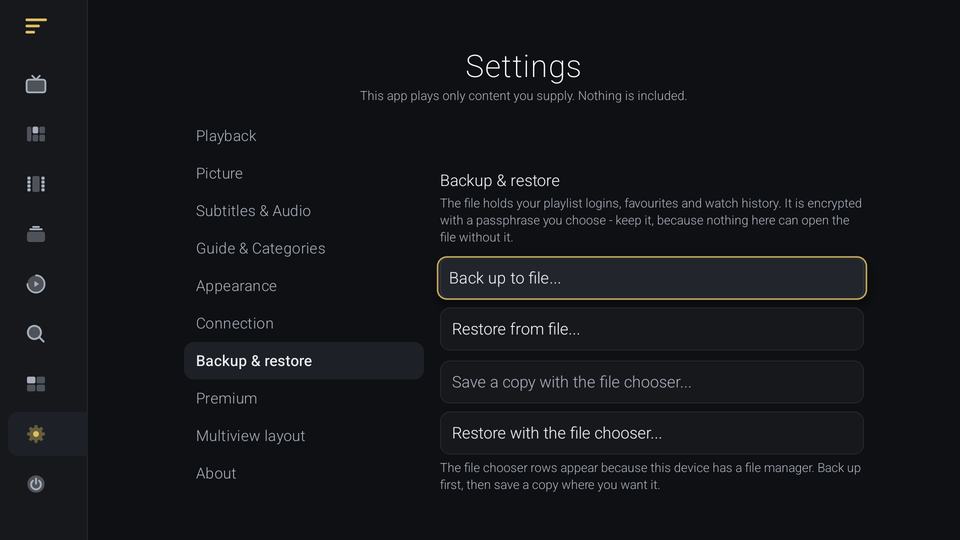
    Save your settings, playlists and favourites to an encrypted file, and restore them when you need to. A backup restored on another device does not carry the Premium unlock.

    Virumo Settings, Backup and restore, explaining that the file is encrypted with a passphrase.
  • Subtitle and audio tracks

    Pick a subtitle or audio track for each programme from the player. Setting preferred languages once is Premium.

  • Your device's own decoder

    Video is played by your device's own hardware decoder. What you see in 4K or HDR depends on your device, your TV and your provider's stream.

  • Frame-rate matching

    Optional frame-rate matching (Settings > Picture) asks your TV to switch to a refresh rate that suits the stream, where the TV allows it.

  • Speed tester

    Test your connection from inside the app.

  • Stream quality readout

    See what the stream is actually delivering.

  • Start-screen choice

    Choose which page the app opens on.

  • First-run tutorial

    A short guided tour, different on TV and touch, that you can replay.

  • Accessibility settings

    Reduce motion, high-contrast focus, a fast-scroll bar and large-text handling.

Demo footage: Blender Foundation open movies, used under Creative Commons Attribution (Big Buck Bunny, Sintel, Tears of Steel, Elephants Dream, Cosmos Laundromat). www.blender.org The Blender Foundation does not endorse Virumo. The footage is shown as short cuts, and the channels and listings are invented for the demo.

How it works

Install. Add your playlist. Watch your channels.

  1. Install

    Today that means sideloading a file onto your device. Store listings are on the roadmap.

    Install guides

  2. Add your playlist

    Paste an M3U link, or enter your Xtream server, username and password.

  3. Watch your channels

    Live, guide, on-demand and more, all from the remote.

Free and Premium

The core player works without paying.

Some features are Premium. Premium is planned as a one-off unlock code for your device.

What is in the free player and what Premium adds.
FeatureFreePremium
PlaylistsOne playlistMore than one
Extra logins for a providerOne loginSeveral, so more streams can run at once
FavouritesUp to 5, no reorderingUnlimited
Sort, filter and category managerNot includedIncluded
Continue WatchingShows the last 3Shows all
Guide windowNow, next and the following 6 hoursThe full 48 hours and past programmes
Catch-up, where your provider keeps an archiveNot includedIncluded
Live rewind30 seconds backThe full buffer
Subtitle and audio track picker, per programmeIncludedIncluded
Subtitle and audio language defaultsNot includedIncluded
ThemesDeep LuxeAll three
MultiviewNot includedUp to four at once
Picture-in-picture on phones and tabletsNot includedIncluded
Background playNot includedIncluded
Recording (planned)Not includedIncluded
  • The code is tied to the device it was issued for. A code copied to another device does not work.
  • A factory reset needs a re-issued code.
  • A backup restored on another device does not carry the unlock.
  • There is no account and no sign-in.

Devices

One app, from the living room to your pocket.

Designed with low-memory Fire TV sticks in mind.

Android TV and Google TV (Android 7.1 or later) · Fire TV (Fire OS 6 or later; Fire OS 5 devices cannot install it) · Android phones, tablets and foldables.

Roadmap

Planned next.

These are not available yet. They are listed so you can decide with the facts.

  • Planned Store listings: Google Play and Amazon Appstore
  • Planned The Premium unlock going live

Questions

Straight answers.

Does Virumo include any channels?

No. Virumo is a player. It contains no channels, lists or links. You add a playlist or subscription that you're entitled to use.

Which playlist formats work?

M3U and M3U8 playlist links, and Xtream Codes logins (server, username, password). Programme guides load from XMLTV or from your Xtream panel.

How do I install it?

By sideloading a file onto your device. The install page walks through it for Fire TV, Android TV and Google TV, and phones. Store listings are on the roadmap.

Does it cost anything?

The core player works without paying. Some features are marked Premium, and Premium is planned as a one-off unlock code for your device. The table above lists what is in each.

Does one Premium code cover several devices?

No. A code is tied to the device it was issued for, and a code copied to another device does not work. A factory reset needs a re-issued code, and a backup restored on another device does not carry the unlock.

Why did my Xtream server fail over HTTPS?

Many Xtream panels only serve plain http, which Virumo allows for that reason. If a connection fails over HTTPS, try http, or ask your provider which one to use.

Can I watch more than one channel at once?

Yes, with Premium: up to four channels at once. Each stream needs a connection of its own from your provider, so you need an account that allows several at once, or extra logins. If your provider permits only one connection, you will be watching one channel at a time whatever the player promises.

What data does Virumo collect?

No personal data, and there is no account system. The full statement is on the privacy page.

Some channels won't play. Is that Virumo?

Often not: a channel that's off air or down at the provider fails the same way in every player.

Does it work on phones and tablets?

Yes. Virumo picks a touch layout on a phone, tablet or foldable and the remote-first layout on a TV or stick. Picture-in-picture and background play are Premium.

Status

Launching soon.

Virumo is in testing and is not on a store yet. This website collects nothing from you, so there is nothing to sign up to. When downloads open, the file and its checksum will be published on the install page.